#0: Getting Ready
1. 설치(https://cljdoc.org/d/maelstrom/maelstrom/0.2.0/doc/getting-ready)
Java: JDK 17
Graphviz: brew install graphviz
gnuplot: brew install gnuplot
maelstrom: https://github.com/jepsen-io/maelstrom/releases/tag/v0.2.4
Release 0.2.4 · jepsen-io/maelstrom
This is a small release. it includes the latest version of Jepsen (0.3.7), and fixes a bug in Knossos which occurred when errors happened very early in a history.
github.com
2. Gradle 프로젝트 생성
mkdir maelstrom-node
cd maelstrom-node
echo 'plugins {
    id 'java'
    id 'application'
}

group = 'bidulgi69.maelstrom'
version = '1.0-SNAPSHOT'
sourceCompatibility = '17'

repositories {
    mavenCentral()
}

dependencies {
    // json 처리를 위한 라이브러리를 둘 중에 하나 선택
    implementation 'com.fasterxml.jackson.core:jackson-databind:2.19.1'
    implementation 'com.eclipsesource.minimal-json:minimal-json:0.9.5'
}

jar {
    duplicatesStrategy = DuplicatesStrategy.EXCLUDE
    manifest {
    	// main 함수가 위치한 클래스
        attributes 'Main-Class': 'bidulgi69.maelstrom.Main'
    }
}' > build.gradle
3. 테스트 실행 방법
-w(workload) 옵션으로 Challenge 를 선택해주면 된다.
자세한 CLI 옵션은 깃허브를 참고하자. https://github.com/jepsen-io/maelstrom/tree/main?tab=readme-ov-file#cli-options
./maelstrom test -w echo \
--bin run.sh
--time-limit 5
4. 실행 스크립트(bin)
루트 디렉토리에 해당 파일을 `run.sh` 로 생성, maelstrom-node 모듈에서 빌드한 jar 를 실행하게 된다.
#!/usr/bin/env sh
BASEDIR="$(cd "$(dirname "$0")" && pwd)"
exec java -jar "$BASEDIR/maelstrom-node/build/libs/maelstrom-node-1.0-SNAPSHOT.jar" "$@"
5. 테스트 결과 확인
테스트 요약은 웹 UI에서 조회할 수 있으며, 아래 커맨드로 서버를 실행하고 `localhost:8080`에 접근해 확인할 수 있다.
./maelstrom serve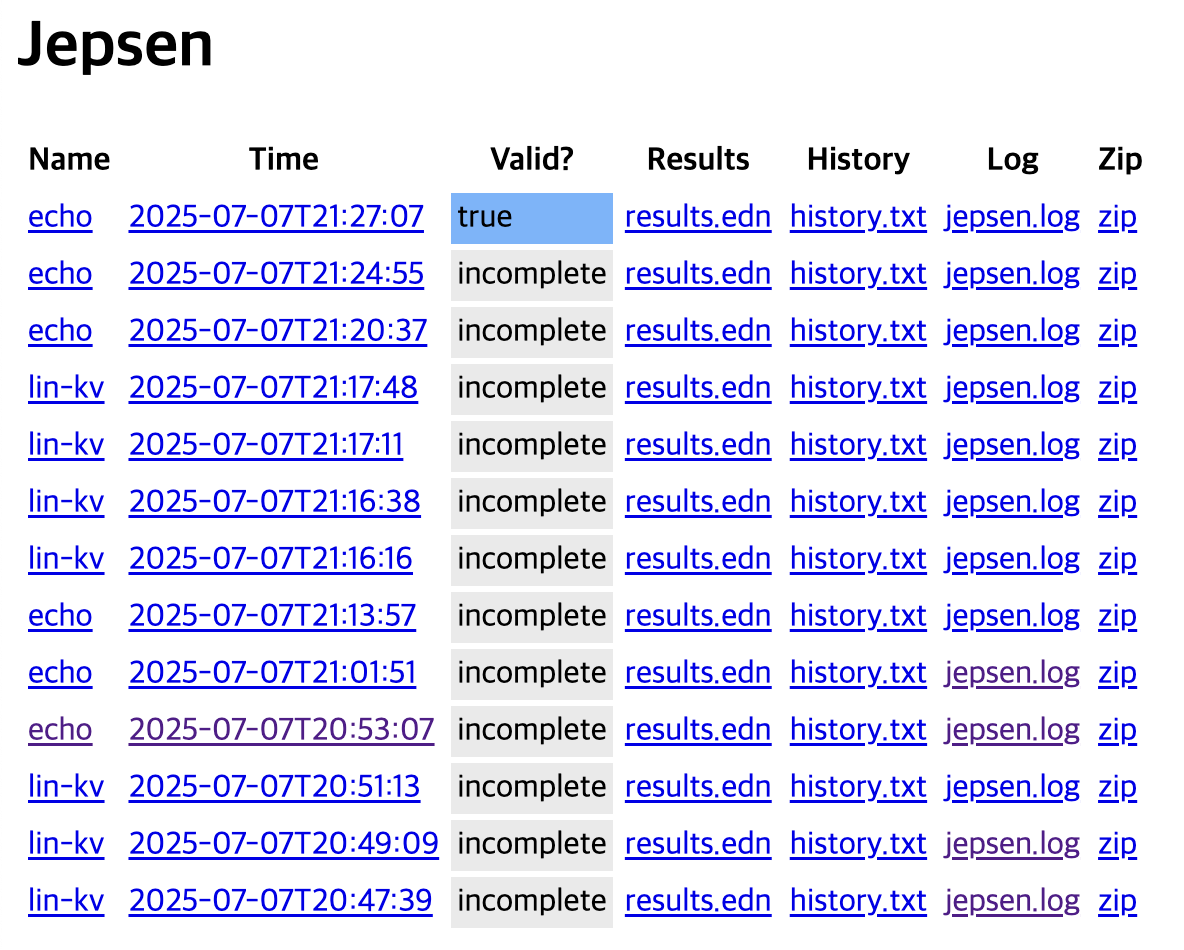
#1: Echo(https://fly.io/dist-sys/1/)
{
  "request": {
    "src": "c1",
    "dest": "n1",
    "body": {
      "type": "echo",
      "msg_id": 1,
      "echo": "Please echo 35"
    }
  }

  "response": {
    "src": "n1",
    "dest": "c1",
    "body": {
      "type": "echo_ok",
      "msg_id": 1,
      "in_reply_to": 1,
      "echo": "Please echo 35"
    }
  }
}
1. src <-> dest 교환
2. body.type 변경(echo_ok)
3. body.in_reply_to 필드 추가
입출력을 STDIN, OUT 으로 처리해주면 되고, 관련한 pojo 를 다루는 간단한 챌린지다.
결과 확인
./maelstrom test -w echo \
--bin run.sh \
--node-count 1 \
--time-limit 10

# expected
Everything looks good! ヽ(‘ー`)ノ
github: https://github.com/bidulgi69/maelstrom-challenge
GitHub - bidulgi69/maelstrom-challenge: https://github.com/jepsen-io/maelstrom, https://fly.io/dist-sys
https://github.com/jepsen-io/maelstrom, https://fly.io/dist-sys - bidulgi69/maelstrom-challenge
github.com
'기록' 카테고리의 다른 글
| Fly.io 분산 시스템 챌린지(Maelstrom) 기록-5 (1) | 2025.07.15 |
|---|---|
| Fly.io 분산 시스템 챌린지(Maelstrom) 기록-4 (0) | 2025.07.13 |
| Fly.io 분산 시스템 챌린지(Maelstrom) 기록-3 (2) | 2025.07.11 |
| Fly.io 분산 시스템 챌린지(Maelstrom) 기록-2 (1) | 2025.07.09 |
| Reactor Sink 트러블 슈팅 기록 (0) | 2025.03.06 |


